




How To Practice Smokes in CS2
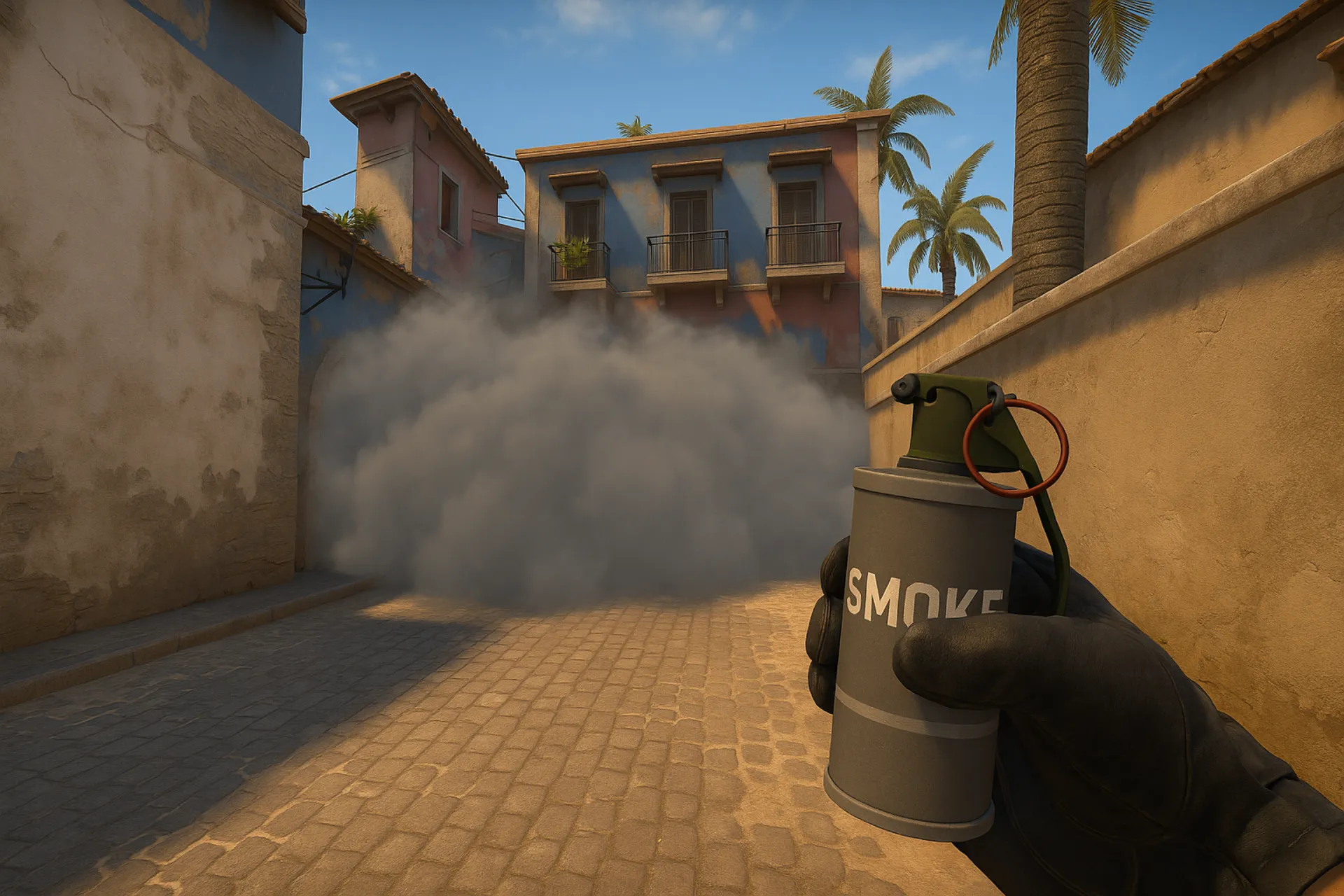
Learning how to practice smokes in CS2 is essential, whether you're a new player learning the basics or a veteran looking to refine your lineups. Practicing smokes in your own server helps you perfect your timing, placement, and lineups without distractions or pressure.
In this guide, we’ll show you how to set up a private server, what console commands to use, and explain the different types of throws that exist.
How to Set Up a Server For Smoke Practice
Before you can start practicing smokes, you need a clean and stress-free environment. Here’s how to set up a private server for smoke practice:
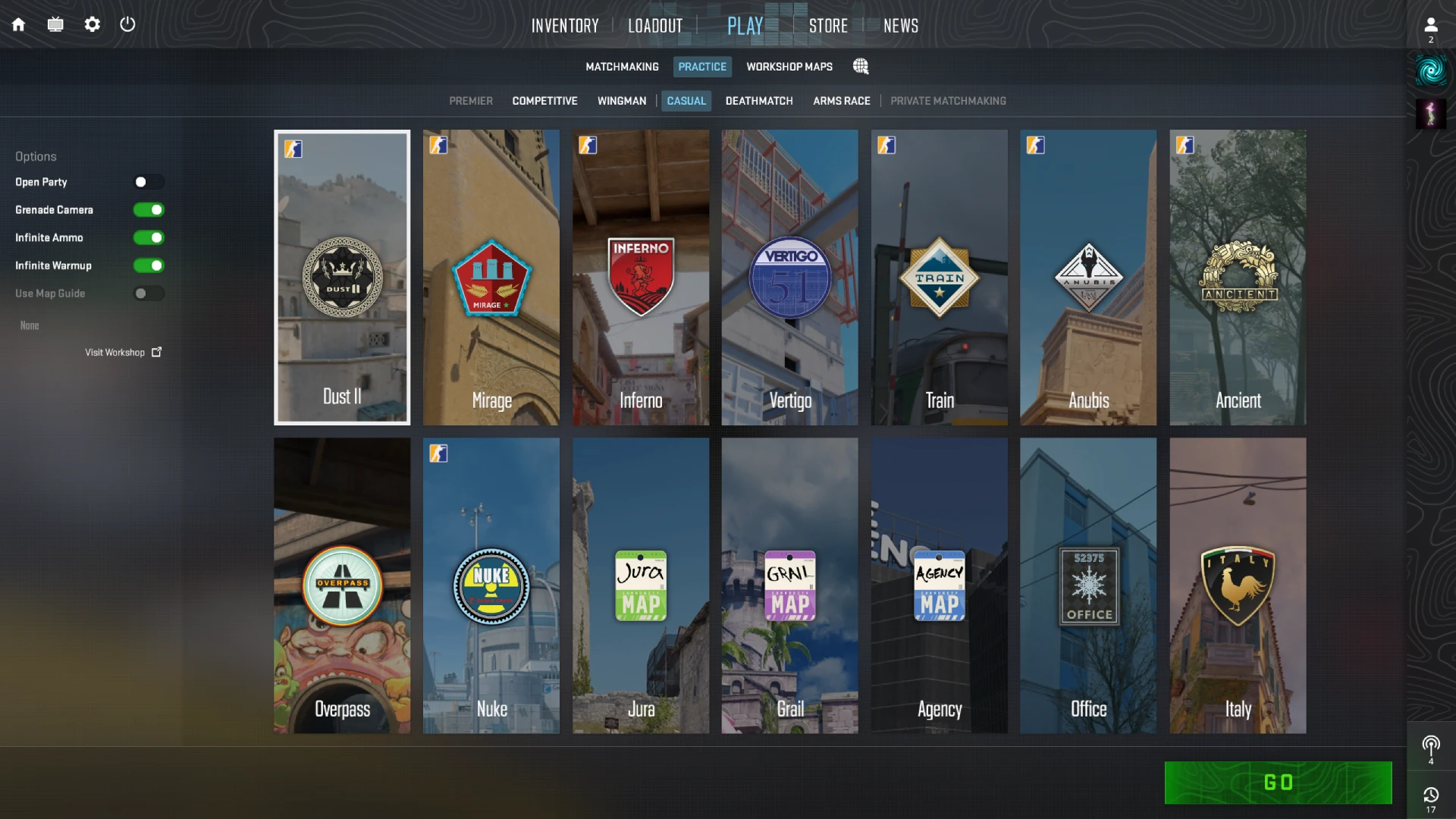
- Click “Play” > “Practice”.
- Choose the map you want to practice smokes on (e.g., Mirage, Inferno, Dust2).
- Enable Grenade Camera, Infinite Ammo, and Infinite Warmup on the left side, or just start with default settings.
- Press Go.
Practice Server Console Commands
To properly practice smokes, you’ll want these smoke practice commands. To enable them, you will first have to turn on the developer console. You can do this by going to Settings > Game > Enable Developer Console > Yes.
Once you have launched your map, open up the console by pressing ~ on your keyboard, and copy paste these commands:
This will enable cheats on your private server (which is completely safe) and start a new round. Now paste these commands to practice smokes with the trajectory lines:
sv_grenade_trajectory 1;sv_grenade_trajectory_time 10;sv_showimpacts 1;sv_showimpacts_time 10;give weapon_smokegrenade;
Another recommended thing is binding a key for noclip. This allows you to quickly travel to the smoke spot to see if you correctly executed the lineup. You can change the “v” below to any key you like.
sv_cheats 1; bind v "noclip"
Smoke Lineups for Competitive Maps
Once you’re comfortable with setting up your practice server, it’s time to start learning map-specific lineups. Each CS2 map has unique setups that can help you block vision, control areas, and execute strategies more effectively.
Check out our full smoke guides for competitive maps:
Types of Smoke Throws
Knowing the different smoke throw types is essential if you want to hit consistent lineups. CS2 gives you multiple throwing options, each with unique distances and uses.
Normal Throw
This is the default throw. Simply hold the left-click and release it. This can also be done while running or crouching.
Jump Throw
Used for long-distance smokes that need a specific arc. For this, you need to hold left-click, jump, and release throw at the peak of the jump. The jump-throw is also commonly used while running.
Right-Click Throw
This is a low-power, underhand toss used for very short distances. While holding a nade and throwing it with right-click, you will throw it a short distance in front of you. You won’t be using these when practising lineups. However, this throw can still be very useful when smoking close corners or covering yourself in an emergency.
Middle-Click Jump Throw
This one is used in some lineups and is a bit tricky to master. First, hold the left-click and then hold the right-click. After pressing the right-click, you will see that your hands have moved a little. While holding, jump and release both clicks at the top of the jump.
Why Are Smokes Important in CS2?
Smokes are one of the most essential utility tools in Counter-Strike 2, offering a range of tactical benefits. Whether you’re taking a site, pushing into enemies, or holding map control, smart smoke usage can change the outcome of a round.
Map Control and Area Denial
Smokes allow your team to take control of critical areas without relying solely on gunfights. By cutting off enemy sightlines, such as mid on Mirage or long on Dust2, you can safely advance, take position, or force opponents to reposition.
This is especially crucial during the early phases of a round when both teams are fighting for map dominance. A single well-placed smoke can deny the enemy information, delay their aggression, and let your team take space with minimal risk.
Safer Site Executes
Smokes are a core part of any bombsite execution. They let your team block off dangerous angles like CT spawn, heaven, or jungle, making it harder for defenders to stop a push. This allows your entry fraggers to focus on fewer angles, increasing your odds of breaking through.
Without smokes, site entries become chaotic and risky, giving defenders full vision and control. Executing with the right utility increases your success rate dramatically.
Forcing Utility and Misplays
When you throw a smoke, you often force a reaction. Enemies might counter it with a molotov, a flash, or a spam through the smoke, all of which drain their resources or create opportunities for you.
They may also make mistakes by pushing through a smoke uncoordinated, leading to easy kills. In high-pressure rounds, even a single smoke can create chaos and draw out premature rotations or utility use.
Conclusion
Practicing smokes in CS2 isn’t just for pro players. It’s one of the best ways to improve your overall gameplay, whether you’re taking a bombsite or executing a coordinated push. By setting up your own practice server and using the right console commands, you can focus entirely on learning lineups without any distractions.
Master each type of smoke throw, get comfortable with the mechanics, and then start applying them on different maps. The more time you invest in practice, the more confident and consistent you'll become in real matches. Make sure to check out our smoke guides for each map to build your lineup knowledge and get an edge in every round.